
Apple Touchscreen MacBook Pro 2026: Price, Release Date, Features, and Specifications

Apple has officially introduced its first touchscreen MacBook Pro, marking one of the biggest changes to the Mac laptop experience in years. Announced on October 28, the new MacBook Pro with PROLED XDR Display combines tandem OLED technology, touch interaction, M5 Pro and M5 Max processors, and a redesigned, lighter chassis.
For years, MacBook buyers had to choose between Apple’s traditional keyboard-and-trackpad laptop experience and the direct-touch interface of an iPad. The 2026 MacBook Pro changes that distinction. Apple is bringing touch to the Mac while preserving the keyboard, trackpad, and desktop workflows that professional users depend on.
But is the new touchscreen MacBook Pro worth its premium price? What makes the PROLED XDR display different? And should existing MacBook Pro owners upgrade?
This guide explains the confirmed specifications, release date, pricing, and practical buying considerations.
When Was the Touchscreen MacBook Pro Announced?
Apple announced the MacBook Pro with PROLED XDR Display on October 28, 2026.
The announcement followed the introduction of a separate 14-inch MacBook Pro powered by the M6 chip on October 27. That distinction matters: Apple’s new MacBook Pro lineup includes different processor and display configurations, and not every newly announced model has the same touchscreen hardware.
The PROLED XDR models are available with M5 Pro or M5 Max chips, while the separately announced standard 14-inch M6 model uses a different display configuration.
MacBook Pro 2026 Release Date
Apple opened preorders for the new touchscreen MacBook Pro on October 28, 2026.
The company announced that deliveries and in-store availability would begin on Friday, November 6, 2026.
Availability through individual retailers may vary by configuration and region. Buyers should confirm the specific model number, shipping date, and display type before ordering.
MacBook Pro 2026 US Pricing
Apple announced the following starting prices for its PROLED XDR touchscreen models:
| Configuration | Starting US price |
|---|---|
| 14-inch MacBook Pro, M5 Pro | $2,899 |
| 16-inch MacBook Pro, M5 Pro | $3,399 |
| 14-inch MacBook Pro, M5 Max | $4,499 |
| 16-inch MacBook Pro, M5 Max | $4,799 |
These are Apple’s announced starting prices in the United States, not quotes for individual third-party retailers. Higher memory, storage, and optional display configurations can increase the final price.
For many buyers, the premium raises an important question: is touch essential to their work, or would an existing MacBook Pro deliver sufficient performance at a more suitable price?
What Is the PROLED XDR Display?
PROLED XDR is Apple’s new professional laptop display technology built around a tandem OLED panel.
Traditional LCD-based displays use a backlight, while OLED pixels produce their own light. This allows OLED technology to deliver extremely dark blacks and precise control over bright highlights.
Apple’s tandem OLED implementation uses two self-illuminating pixel layers and advanced display control to improve brightness, contrast, and uniformity.
According to Apple, the new panel supports:
- Up to 2,000 nits of peak HDR and SDR brightness.
- A claimed 10,000,000:1 contrast ratio.
- Adaptive refresh rates up to 120Hz.
- P3 and Adobe RGB color spaces.
- More than 80% coverage of Rec. 2020.
- An optional nano-texture treatment to reduce glare.
These capabilities are especially relevant to photographers, filmmakers, colorists, and designers who need accurate image reproduction.
How Does Touch Work on the MacBook Pro?
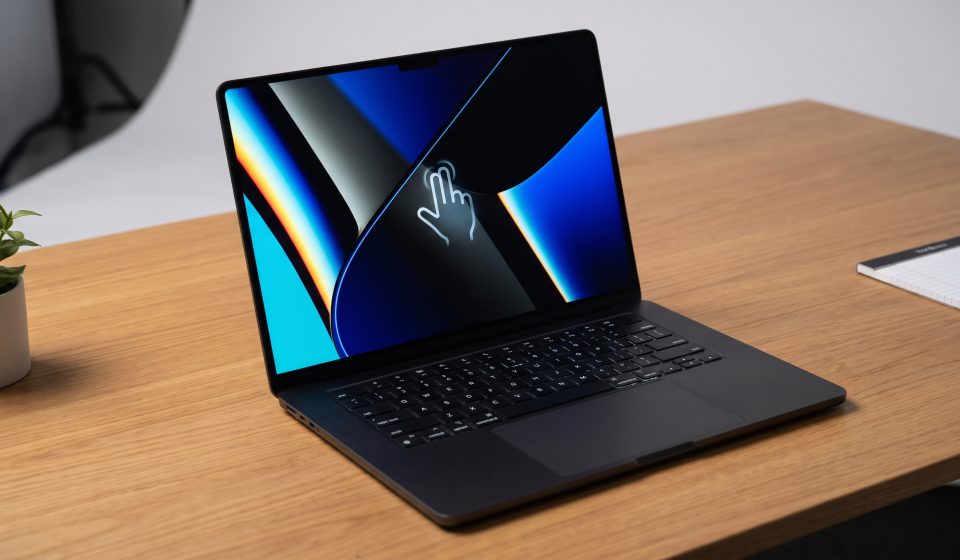
The touchscreen is integrated directly into the display panel rather than being added as a separate layer.
Apple describes familiar gestures, including scrolling, pinch-to-zoom, dragging items, and interacting directly with windows.
Users can continue using the keyboard and trackpad, so touch acts as another input method rather than replacing existing controls.
Apple has also introduced software support to help existing applications interpret touch interactions. However, the experience may vary between apps designed specifically for touch and applications that primarily use traditional mouse input.
Dynamic Island Comes to Mac
The new touchscreen MacBook Pro introduces Dynamic Island to the Mac experience.
Apple describes it as a location for Spotlight, Live Activities, and Siri AI interactions.
This gives users another way to access timely information and common actions without interrupting their main workspace.
M5 Pro and M5 Max Performance
The new touchscreen MacBook Pro is offered with M5 Pro and M5 Max chips.
M5 Pro is positioned for demanding professional workflows, while M5 Max targets users with greater graphics, memory, and computational requirements.
Examples include high-resolution video production, complex 3D projects, software development, and local AI workloads.
The new configurations support up to 128GB of unified memory and up to 16TB of storage, depending on configuration.
These maximum specifications do not apply to every base model. Buyers should verify the exact configuration rather than assuming all M5 Pro or M5 Max systems have the same memory or storage.
Battery Life and Portability
Apple advertises up to 24 hours of battery life, depending on usage and testing conditions.
The redesigned 14-inch model weighs approximately 3 pounds, while the 16-inch model weighs approximately 4 pounds.
For professionals who travel regularly, the reduction in weight may be as valuable as the new touchscreen.
However, real-world battery performance depends on workload, brightness, connected peripherals, and application behavior.
Ports and Connectivity
The new MacBook Pro includes three Thunderbolt 5 ports, HDMI, an SDXC card slot, MagSafe, and a headphone connection.
Apple also lists Wi-Fi 7 and Bluetooth 6 support.
The available external-display configurations depend on the processor, with M5 Max supporting more external displays than M5 Pro.
For professional buyers, these connections are important because a powerful laptop still needs to integrate with monitors, storage devices, cameras, and other equipment.
Should You Buy the New Touchscreen MacBook Pro?
The touchscreen MacBook Pro is particularly interesting for users who can benefit from direct manipulation of visual content.
Designers may appreciate interacting directly with a canvas. Musicians may benefit from touch-enabled instruments and controls. Video editors may find certain timeline interactions more intuitive.
However, users primarily writing documents, browsing the web, or working with spreadsheets may not need to pay a substantial premium for touch.
Existing MacBook Pro configurations remain worth considering, especially when performance, memory, and price matter more than the newest display technology.
Existing MacBook Pro Alternatives
Buyers who do not require the new touchscreen can compare existing Apple silicon models with their actual workloads and budgets.
For example, the Apple MacBook Pro with M3 Max listed at AztekComputers may be worth evaluating for users who need professional performance but are not specifically seeking a touchscreen.
Check the retailer’s current specifications, availability, and pricing before making a purchasing decision.
Final Verdict
Apple’s October 2026 touchscreen MacBook Pro represents a major shift in the Mac’s input and display technology.
The combination of PROLED XDR, M5 Pro or M5 Max, touch controls, and a lighter design creates a compelling option for demanding professional users.
Nevertheless, the best MacBook Pro is not automatically the newest or most expensive one. The right choice depends on workload, required memory, display preferences, and budget.
For additional guidance, explore our touchscreen versus non-touchscreen MacBook Pro comparison and M5 Pro versus M5 Max versus M6 buying guide.
Frequently Asked Questions
Does the 2026 MacBook Pro have a touchscreen?
Yes. Apple introduced touch support on its new MacBook Pro with PROLED XDR Display, announced October 28, 2026.
When will the touchscreen MacBook Pro be available?
Apple announced availability beginning November 6, 2026, with preorders starting October 28.
How much does the touchscreen MacBook Pro cost?
US starting prices range from $2,899 for the 14-inch M5 Pro model to $4,799 for the 16-inch M5 Max model.
Does the M6 MacBook Pro have the same touchscreen?
Don’t confuse the separately announced 14-inch M6 MacBook Pro with the PROLED XDR touchscreen models. Check the exact display specifications before purchasing.
Is the touchscreen MacBook Pro good for designers?
Its display capabilities and direct-touch controls may help design workflows, but compatibility and performance depend on the applications you use.
Should M3 Max owners upgrade?
Not necessarily. An upgrade is most compelling when the new display, touch controls, or additional performance solve a specific problem.
Sources