

Apple’s October 2026 MacBook Pro announcements introduce several major changes, but two developments stand out: the new PROLED XDR touchscreen display and powerful M5 Pro and M5 Max processor options.
These improvements target professional users who need accurate displays, sustained performance, and flexibility when working away from a desktop workstation.
Understanding what each feature contributes is essential before choosing a configuration.
What Is New in the 2026 MacBook Pro?
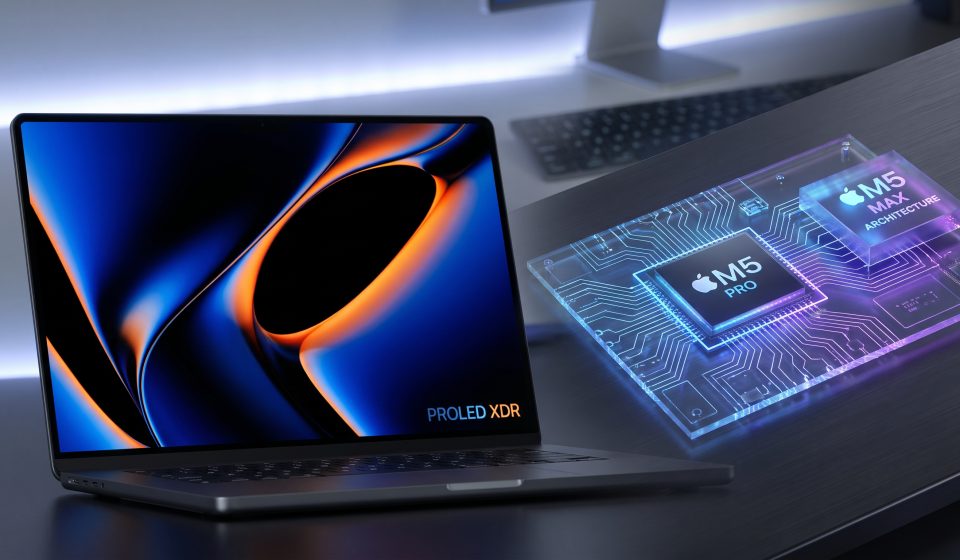
Apple’s new MacBook Pro with PROLED XDR Display introduces a tandem OLED screen, direct-touch input, Dynamic Island, a thinner design, and updated professional connectivity.
The company offers the touchscreen models in 14-inch and 16-inch sizes, with M5 Pro and M5 Max chip options.
Apple also announced a separate 14-inch MacBook Pro with M6, making it important to distinguish between the different products in the 2026 lineup.
PROLED XDR Display Technology
PROLED XDR uses tandem OLED technology, which combines two self-illuminating pixel layers to deliver high brightness and precise contrast.
Apple advertises up to 2,000 nits of peak brightness for HDR and SDR content, along with a 10,000,000:1 contrast ratio.
The display supports a variable refresh rate up to 120Hz, P3 and Adobe RGB color spaces, and wide coverage of Rec. 2020.
For professional users, these specifications matter because image editing, color grading, and visual design often depend on accurately evaluating brightness, color, and shadow detail.
Why Tandem OLED Matters
OLED technology produces light at the pixel level rather than relying on a traditional LCD backlight.
This enables deep blacks and avoids some of the blooming effects associated with backlit displays.
A tandem design aims to improve brightness and display performance through its layered architecture.
However, technical specifications alone cannot determine whether every user will notice a meaningful improvement. The difference depends on the work being performed and the display being replaced.
Touchscreen Controls for Professional Work
The new MacBook Pro allows users to interact directly with content through scrolling, dragging, pinching, and other gestures.
Apple has described applications for creative professionals, including manipulating design elements, interacting with music software, and working with editing interfaces.
The keyboard and trackpad remain available, so users can choose the input method that best suits each task.
Touch compatibility may vary between applications, especially those not yet optimized for direct interaction.
M5 Pro: Who Is It For?
M5 Pro is designed for demanding professional work that benefits from greater computing resources than a standard consumer laptop configuration.
Potential workloads include software development, photography, professional multitasking, and video editing.
Users should evaluate the complete system, including memory and storage, rather than choosing solely by chip name.
A properly configured M5 Pro machine may be more suitable than a higher-tier chip paired with insufficient storage for a particular workflow.
M5 Max: Who Needs It?
M5 Max targets workloads that require greater graphics capability, memory resources, or sustained computational performance.
Examples include complex 3D scenes, demanding visual effects, high-resolution production, and some local AI workloads.
However, not every professional application scales equally with additional hardware resources.
Buyers should check the performance characteristics of their specific software before paying for a higher-tier configuration.
Memory and Storage Considerations
Apple offers configurations reaching up to 128GB of unified memory and 16TB of storage on the new touchscreen MacBook Pro lineup.
These are maximum configurable values, not specifications shared by every model.
Unified memory is especially important for workloads involving large datasets, complex creative projects, and local AI models.
Storage requirements depend on project size and whether users rely on external drives or cloud services.
Existing M5 Pro and M5 Max Alternatives
Buyers who need Apple silicon performance but do not require the newly introduced touchscreen should compare existing configurations.
AztekComputers lists the following MacBook Pro product pages for consideration:
These are existing product listings, not verified listings for the new PROLED XDR touchscreen models. Confirm their exact chip, memory, storage, display type, and availability before purchasing.
Which Model Should You Choose?
Choose a system based on your workload rather than simply selecting the highest available processor tier.
For software development and everyday professional work, memory capacity and overall responsiveness may matter more than maximum graphics performance.
For intensive 3D production, advanced rendering, and specialized AI workloads, a higher-tier configuration may offer advantages.
For visual creators, the PROLED XDR display itself may be the most compelling reason to choose the new touchscreen generation.
Final Thoughts
The 2026 MacBook Pro represents a significant development in Apple’s professional laptop lineup.
Its new display, touch interface, and M5 Pro or M5 Max options create more choices for demanding users.
However, existing MacBook Pro models may remain practical alternatives for buyers who prioritize value over the newest display technology.
Read our MacBook Pro processor comparison and touchscreen MacBook Pro announcement guide for further details.
Frequently Asked Questions
What is PROLED XDR?
PROLED XDR is Apple’s new tandem OLED display technology for its October 2026 touchscreen MacBook Pro.
Does the new MacBook Pro support touch?
Yes. The PROLED XDR models introduce direct-touch interaction to the MacBook Pro.
Is M5 Max better than M5 Pro?
M5 Max is positioned for more demanding workloads, but the best choice depends on the software, memory requirements, and budget.
Does every 2026 MacBook Pro have PROLED XDR?
No. Apple’s separately announced 14-inch M6 MacBook Pro should be evaluated as a distinct configuration.
How much memory can the touchscreen MacBook Pro support?
Apple lists configurations with up to 128GB of unified memory, depending on the model.
Source