

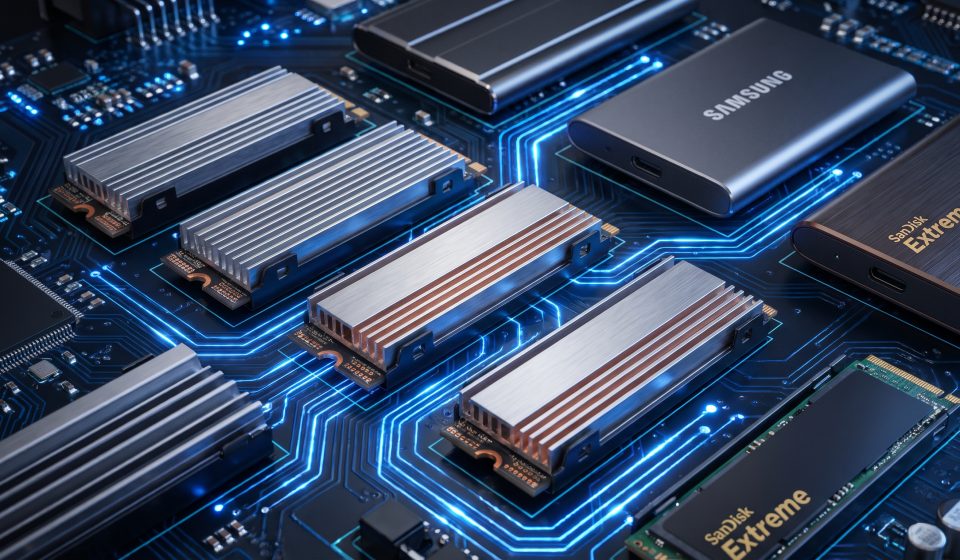

Black Friday 2026 falls on November 27, and solid-state drives are a useful technology category to research before the holiday shopping period. An SSD upgrade can make an older computer more responsive, increase available storage, and improve the experience of working with large files.
But storage devices differ substantially in interface, capacity, endurance, and performance. A drive advertised with an impressive maximum speed may offer little benefit if your computer cannot support that interface.
This guide from AztekComputers explains how to compare SSDs during Black Friday, choose the right capacity, understand technical specifications, and avoid common purchasing mistakes.
When Is Black Friday 2026 for SSD Deals?
Black Friday takes place on Friday, November 27, 2026. Cyber Monday follows on November 30. Retailers may run early storage promotions before these dates, so shoppers should begin comparing products in advance.
SSD pricing can fluctuate for reasons unrelated to Black Friday, including supply conditions, product launches, and retailer inventory decisions.
Instead of assuming that every November discount is exceptional, compare the price of the exact drive against recent pricing where reliable historical information is available.
NVMe vs. SATA SSD: What’s the Difference?
One of the most important storage decisions is choosing the correct interface.
SATA SSDs
SATA SSDs commonly use the 2.5-inch drive form factor, although other SATA formats exist. They can be excellent upgrades for older desktops and laptops that previously used mechanical hard drives.
Compared with traditional hard drives, SATA SSDs generally offer much faster access times, quieter operation, and better responsiveness for common computing tasks.
However, SATA bandwidth limits their maximum sequential transfer rates compared with modern NVMe drives.
NVMe SSDs
NVMe drives communicate over PCI Express and are commonly sold in M.2 form factors. They can offer substantially higher throughput than SATA SSDs, especially in workloads involving large file transfers and intensive storage activity.
Not every M.2 slot supports every drive type. Some systems support only SATA M.2, others support NVMe, and certain devices have additional size or generation restrictions.
Always consult the motherboard or laptop manufacturer’s documentation before ordering.
PCIe Generations: Do You Need the Fastest Drive?
NVMe drives may support different PCIe generations, each offering different theoretical bandwidth capabilities.
A newer-generation drive can deliver impressive benchmark results, but the real-world benefit depends on the host system and application.
For ordinary browsing, office work, and general computer use, the difference between a capable older NVMe drive and a premium newer model may be much less noticeable than the marketing numbers suggest.
Professional workloads involving large datasets, media processing, or sustained transfers may benefit more directly from higher throughput.
Check whether your computer supports the advertised generation. A drive may operate at a lower supported speed when installed in an older compatible slot.
How Much SSD Storage Do You Need?
Capacity is often more important than peak benchmark performance for everyday users.
| Capacity | Typical use case |
|---|---|
| 250GB–256GB | Basic system drive or lightweight applications |
| 500GB–512GB | General productivity and moderate local storage |
| 1TB | Balanced capacity for applications, games, and personal files |
| 2TB | Large game libraries, media projects, and extensive local storage |
| 4TB or more | Specialized storage needs and large working datasets |
These are general examples rather than strict requirements. Your existing storage usage and expected growth should guide the decision.
Consider leaving free space for operating system updates, application installations, and temporary files. Buying a drive that is nearly full immediately after installation may create unnecessary maintenance problems.
What Does SSD Endurance Mean?
SSD endurance is commonly described using total bytes written, or TBW, and other reliability-related specifications.
For ordinary consumer use, many modern SSDs provide adequate endurance. However, heavy write-intensive workloads may require more careful evaluation.
Examples include repeated large media exports, certain data-processing tasks, and specialized systems that write substantial amounts of data continuously.
Check the manufacturer’s endurance rating, warranty period, and intended workload rather than relying solely on advertised read speeds.
DRAM, Cache, and Sustained Performance
Two SSDs with similar advertised peak speeds may behave differently during extended file transfers.
Controller design, NAND flash characteristics, cache behavior, and thermal management all influence real-world performance.
Some drives use onboard DRAM, while others rely on different caching approaches. The absence of dedicated DRAM does not automatically make a drive unsuitable, but it can affect performance characteristics in certain workloads.
Independent testing is valuable when selecting a drive for demanding sustained transfers.
External SSDs: Convenient Storage for Portable Work
External SSDs are useful for moving files between computers, maintaining portable project libraries, and supplementing internal storage.
Before buying, check the drive’s USB or Thunderbolt interface, the computer’s supported ports, and whether the included cable supports the advertised speed.
Portable drives also differ in physical durability, encryption features, thermal behavior, and warranty coverage.
For travel and field work, a robust enclosure may matter more than the highest possible benchmark speed.
Is an SSD Upgrade Better Than Buying a New Computer?
In some cases, replacing a mechanical hard drive with an SSD can dramatically improve responsiveness at a relatively modest cost.
But storage upgrades cannot resolve every performance problem. A system limited by an outdated processor, insufficient memory, or an unsupported operating system may still struggle after installing a faster drive.
Before purchasing, determine whether storage is the main limitation. Check system compatibility and whether the computer’s drive can be replaced.
Some modern laptops use soldered storage or specialized components, making upgrades difficult or impossible.
SSD Shopping Mistakes to Avoid
- Buying an NVMe drive for a slot that supports only SATA.
- Ignoring M.2 drive length and physical clearance.
- Paying extra for performance the computer cannot use.
- Choosing insufficient capacity to save a small amount initially.
- Overlooking warranty and endurance information.
- Assuming every external USB-C connection supports the same speed.
- Failing to back up data before replacing a system drive.
How to Compare Black Friday SSD Prices
Calculate price per terabyte, but do not use it as the only metric. A less expensive drive may have lower sustained performance, a shorter warranty, or different endurance characteristics.
Compare products within the same general class. A premium workstation-oriented SSD and an entry-level storage drive may serve different purposes.
Check the exact model number and capacity. Manufacturers sometimes sell multiple products with similar names but different hardware specifications.
For current storage product options, visit AztekComputers and review the applicable listings.
Frequently Asked Questions
When is Black Friday 2026?
Black Friday takes place on Friday, November 27, 2026.
Is Black Friday a good time to buy an SSD?
It can be, especially when a suitable drive is offered at a competitive verified price. Compare exact models and recent pricing where possible.
Is NVMe faster than SATA?
NVMe SSDs can deliver significantly higher throughput, but the real-world advantage depends on the computer and workload.
Should I buy a 1TB or 2TB SSD?
Choose based on your current storage usage, expected growth, and budget. A 2TB drive can be worthwhile for large game libraries or media projects.
Can I install any M.2 SSD in my laptop?
No. Compatibility depends on the supported interface, physical dimensions, and system requirements.
Does an SSD improve gaming frame rates?
An SSD can improve loading and asset access, but it does not necessarily increase average frame rates.
Final Thoughts
Black Friday SSD deals can offer excellent opportunities to expand storage or improve an older computer. The best purchase, however, is the drive that matches your system and workload.
Prioritize compatibility, appropriate capacity, reliable warranty coverage, and meaningful performance over marketing claims. Research carefully, compare exact models, and use the holiday shopping season to make a practical upgrade.