

Apple’s introduction of a touchscreen MacBook Pro in October 2026 creates an important buying decision: should you choose the newest touch-enabled model or purchase a traditional MacBook Pro?
The answer depends on how you use your laptop.
For some professionals, direct interaction with the screen could change everyday workflows. For others, the keyboard and trackpad remain the most efficient tools.
What Changed in 2026?
Apple introduced touch capabilities on its new MacBook Pro with a PROLED XDR Display.
The touchscreen models also include tandem OLED technology, M5 Pro or M5 Max chips, and a redesigned chassis.
This means the comparison is not solely about touch. Buyers must also consider display quality, processor configuration, weight, and price.
Touchscreen vs Traditional MacBook Pro
| Feature | Touchscreen PROLED XDR | Traditional MacBook Pro |
|---|---|---|
| Direct screen touch | Yes | Generally no |
| Keyboard and trackpad | Yes | Yes |
| Display technology | Tandem OLED | Varies by generation |
| Processor | M5 Pro or M5 Max | Varies by model |
| Best fit | Users who benefit from touch and advanced display features | Users prioritizing established workflows and value |
Advantages of a Touchscreen MacBook Pro
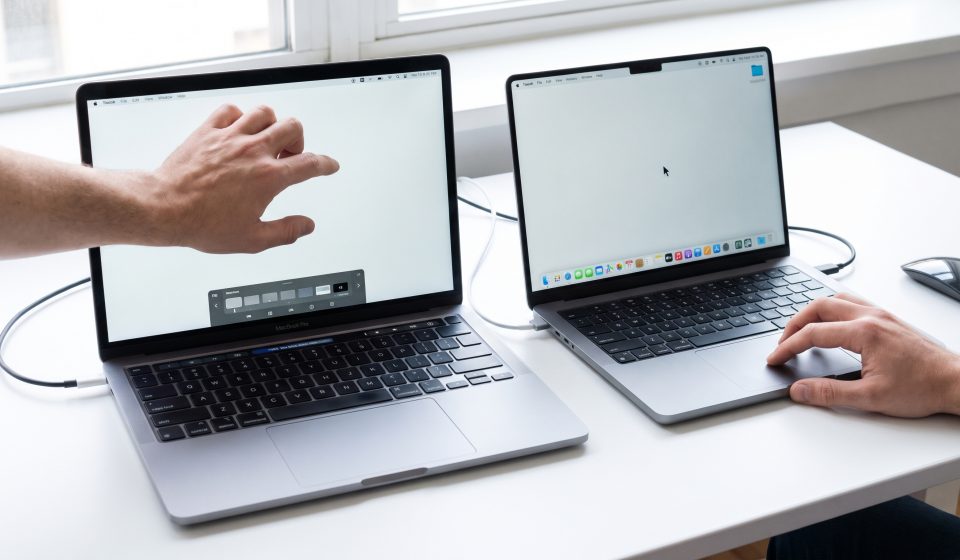
Touch can make certain interactions feel more direct.
For example, scrolling through content, zooming into photographs, and manipulating visual elements can be intuitive when performed directly on the display.
Creative professionals may find touch especially useful in software designed to support it.
Apple has also redesigned the hinge to improve stability during touch interaction.
Advantages of a Traditional MacBook Pro
Traditional MacBook Pro models retain the familiar macOS experience built around a keyboard, trackpad, and external pointing devices.
Many professional tasks do not require direct screen input.
Writing code, managing spreadsheets, editing long documents, and using keyboard shortcuts can be efficient without touch.
For buyers with a limited budget, a non-touchscreen configuration may offer a better balance between cost and computing performance.
Which Is Better for Students?
Students should prioritize affordability, battery life, portability, and the requirements of their courses.
A touchscreen may be convenient for some learning activities, but it is not essential for typical writing, research, or programming tasks.
Students should avoid paying for advanced professional hardware they do not need.
Which Is Better for Graphic Designers?
Graphic designers may benefit from the new PROLED XDR display’s color capabilities and direct-touch interface.
However, touch interaction is not equivalent to every feature of a dedicated drawing tablet.
Buyers should confirm whether their preferred design applications support the interactions they need.
Which Is Better for Developers?
Software developers often benefit more from adequate memory, storage, and sustained processor performance than from touchscreen input.
Touch can still be useful for testing certain app interfaces, but it may not justify a large price difference for every developer.
Those working with local AI models, containers, and virtual machines should prioritize memory requirements.
Price Considerations
The touchscreen PROLED XDR lineup starts at $2,899 in the United States.
Traditional MacBook Pro models vary widely in price depending on processor generation, screen size, memory, storage, and retailer.
Compare actual configurations rather than relying only on a broad product name.
Explore Non-Touchscreen MacBook Pro Alternatives
Buyers who do not need touch can review existing MacBook Pro configurations at AztekComputers:
Verify each listing’s actual specifications and availability. These links should not be interpreted as listings for the newly announced touchscreen models.
Is Touch Worth the Upgrade?
Touch is most valuable when it improves activities you perform frequently.
If your daily work involves manipulating visual elements directly, the new design may be compelling.
If you primarily use a keyboard, trackpad, and external monitors, a traditional MacBook Pro may remain an excellent choice.
Consider the full package: display, memory, processor, battery life, portability, and total cost.
Final Verdict
The touchscreen MacBook Pro introduces meaningful new capabilities, but it does not make existing MacBook Pro models obsolete.
The right laptop is the one that supports your workflow without unnecessary expense.
Explore our 2026 touchscreen MacBook Pro guide and M3 MacBook Pro upgrade guide for additional comparisons.
Frequently Asked Questions
Is the new MacBook Pro touchscreen?
Apple’s October 2026 PROLED XDR MacBook Pro models support touch.
Do older MacBook Pro models have touchscreens?
Traditional MacBook Pro models do not offer the new direct-touch display functionality.
Is touchscreen better for coding?
Not necessarily. Developers often prioritize memory, processing performance, and keyboard ergonomics.
Does the touchscreen replace the trackpad?
No. Apple’s new MacBook Pro retains the keyboard and trackpad.
Is the touchscreen model more expensive?
The new PROLED XDR models carry premium starting prices. Compare them with specific existing configurations for an accurate price difference.