
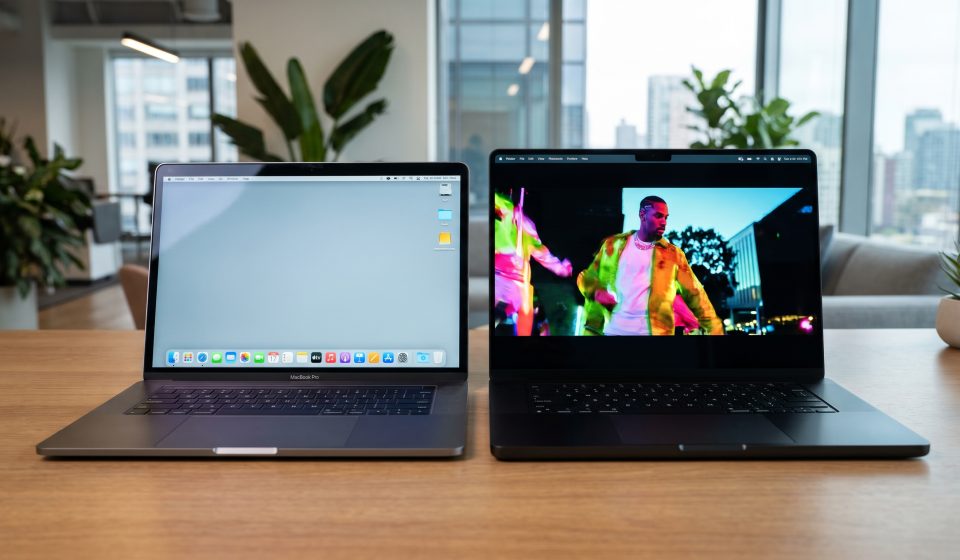

Apple’s introduction of the touchscreen MacBook Pro in October 2026 has given existing M3 MacBook Pro owners a new reason to consider upgrading.
The new models offer PROLED XDR tandem OLED displays, direct-touch interaction, updated processors, and lighter designs.
However, a major hardware announcement does not mean every older MacBook Pro suddenly needs replacing.
Is the M3 MacBook Pro Still Good in 2026?
Yes, for many users.
The M3 generation remains capable of everyday productivity, development, content creation, and other professional work, depending on the exact configuration.
An M3 Max model may still offer substantial performance for demanding tasks.
The most useful question is whether your current laptop is limiting your work.
What Has Changed?
Apple’s October 2026 touchscreen MacBook Pro introduces several important changes:
- PROLED XDR tandem OLED display technology.
- Direct-touch interaction.
- M5 Pro and M5 Max processor options.
- Thinner and lighter chassis designs.
- Updated connectivity and software features.
These improvements may be meaningful for some users but less important for others.
Reason to Upgrade: Display Quality
The PROLED XDR display offers improved contrast and high brightness, according to Apple’s specifications.
Photographers, colorists, and video editors may benefit from the expanded color capabilities and reference-display features.
Users primarily working with text, web applications, or external monitors may notice less benefit.
Reason to Upgrade: Touchscreen Controls
Direct-touch interaction is a major change for MacBook Pro.
Users can scroll, zoom, and interact with supported software directly on the screen.
For designers and musicians, touch may create useful new workflows.
However, the traditional keyboard and trackpad remain effective for many professional activities.
Reason to Upgrade: Performance
Users running demanding applications may benefit from newer processor configurations.
However, performance comparisons must account for the exact M3 and 2026 models involved.
For example, comparing an M3 Max with a standard M6 is different from comparing an M3 Pro with an M5 Max.
Do not assume that every new MacBook Pro will dramatically outperform every older high-end configuration.
Reason to Upgrade: Memory Requirements
Memory limitations can become particularly noticeable in professional workflows.
Users working with large creative projects, virtual machines, or local AI models should examine their actual memory consumption.
If the current machine regularly runs out of memory, a higher-capacity configuration may provide meaningful benefits.
When You Should Keep Your M3 MacBook Pro
Keeping your existing machine is sensible when it performs your daily tasks comfortably.
If battery life is adequate, applications run smoothly, and storage remains sufficient, an upgrade may not provide enough practical value.
Waiting can also preserve your budget for peripherals, external displays, or other equipment that may improve productivity more directly.
When Upgrading Makes Sense
Consider upgrading when your current system regularly slows down during important work, lacks necessary memory, or no longer meets your display requirements.
The new touchscreen may also justify an upgrade if it directly improves how you create or edit content.
Professional buyers should compare the value of time saved against the total cost of replacing their laptop.
Compare Your Current M3 Max Configuration
AztekComputers lists an Apple MacBook Pro with M3 Max.
Its product specifications can serve as a reference when evaluating an M3 Max system against newer MacBook Pro configurations.
Always compare the actual memory, storage, display, and processor specifications of the two machines.
What About Resale and Trade-In Value?
Resale value can influence the cost of upgrading.
However, trade-in offers vary by device condition, configuration, region, and provider.
Do not assume a fixed resale value without obtaining a current quote.
Final Verdict
An M3 MacBook Pro can remain a capable professional laptop in 2026.
Upgrade when the new touchscreen, display technology, performance, or memory capacity solves a specific problem.
If your existing machine already meets your needs, there may be little reason to replace it immediately.
Read our touchscreen versus traditional MacBook Pro comparison for additional guidance.
Frequently Asked Questions
Is the M3 MacBook Pro outdated in 2026?
No. Its usefulness depends on its configuration and the user’s workload.
Should M3 Max owners upgrade to M5 Max?
Upgrade decisions should depend on verified performance needs, display requirements, and cost.
Can an M3 MacBook Pro get the new touchscreen through software?
No. Touchscreen functionality requires compatible display hardware.
Is the 2026 display better for photo editing?
The new PROLED XDR display offers advanced brightness, contrast, and color capabilities that may benefit professional photo workflows.
What is the most important upgrade factor?
The factor that removes your current workflow’s biggest limitation, whether memory, performance, display, or portability.