

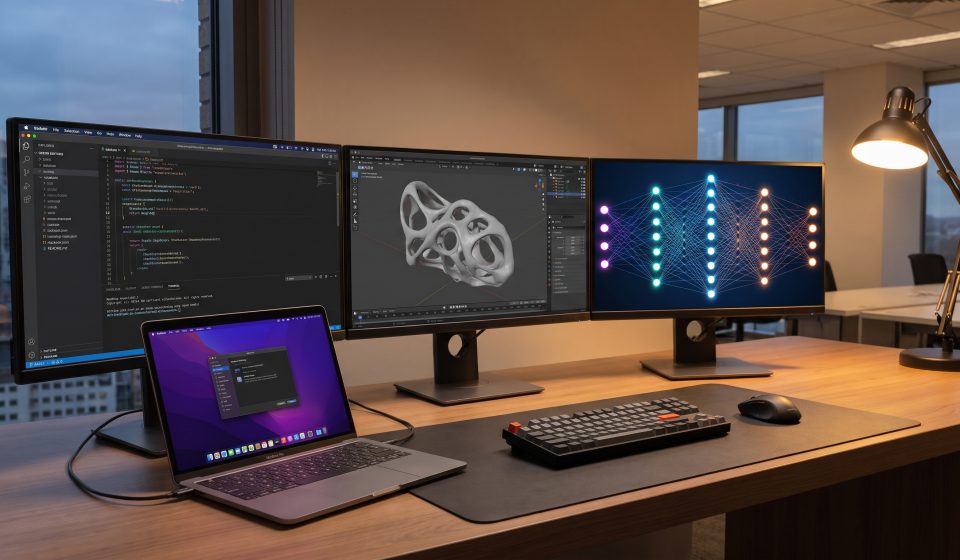

Choosing the best MacBook Pro in 2026 requires more than selecting the newest Apple processor.
Software developers, graphic designers, video editors, and AI researchers often have very different hardware requirements.
Apple’s new touchscreen MacBook Pro with PROLED XDR Display adds another factor to consider: whether direct-touch interaction and advanced display technology will improve your professional workflow.
This guide explains how to choose a suitable MacBook Pro based on real computing needs.
What Matters Most in a Professional MacBook Pro?
The most important specifications generally include processor performance, unified memory, storage, display quality, connectivity, and battery life.
However, their relative importance changes by workload.
A developer running several virtual machines may prioritize memory. A video editor may require fast storage and sustained processing performance. A photographer may place greater value on display accuracy.
Best MacBook Pro for Software Developers
Software developers should begin by examining their development environment.
Web development, backend services, and routine programming may run comfortably on a range of Apple silicon configurations.
Larger projects involving containers, multiple services, virtual machines, and resource-intensive tools can require additional memory.
M5 Pro is worth considering for demanding development work, but the exact memory configuration may matter more than selecting the highest chip tier.
Best MacBook Pro for Web Development
Developers working with React, Node.js, databases, browsers, and local testing tools should consider how many services they run simultaneously.
Modern browsers, development servers, and database processes can consume substantial memory when used together.
A balanced configuration with sufficient RAM and storage may provide better value than an expensive processor upgrade that offers limited benefit to the actual workflow.
Best MacBook Pro for Graphic Designers
Graphic designers often benefit from a combination of responsive performance, adequate memory, and accurate color reproduction.
The new PROLED XDR display offers P3 and Adobe RGB support, along with high brightness and contrast.
Its touchscreen functionality may also help with direct manipulation of supported design tools.
However, buyers should verify application compatibility and whether the new interaction method improves their established workflow.
Best MacBook Pro for Video Editors
Video editing performance depends on footage resolution, codecs, effects, timeline complexity, and export requirements.
For demanding professional projects, M5 Pro or M5 Max configurations may be worth evaluating.
Fast storage is important for large media files, while sufficient memory can help when working with multiple applications and complex timelines.
The PROLED XDR display may also be valuable for color-sensitive production work.
Best MacBook Pro for 3D Artists
3D modeling, rendering, animation, and visual effects can place significant demands on graphics hardware and memory.
M5 Max is positioned for more demanding professional workloads.
However, artists should evaluate how their preferred software uses Apple silicon and whether specific rendering engines or plugins are compatible.
Actual application benchmarks are more useful than broad claims about theoretical performance.
Best MacBook Pro for AI Development
Local AI workloads can have very different hardware requirements depending on model size, precision, and software framework.
Unified memory capacity is especially important because large models may require substantial resources to load and run.
M5 Pro and M5 Max configurations may be suitable for different AI development scenarios, but users should confirm software compatibility and memory needs before purchasing.
A powerful MacBook Pro can be useful for experimentation and local inference, but it does not replace specialized computing infrastructure for every large-scale AI task.
How Much Unified Memory Do You Need?
Memory requirements depend on the applications running simultaneously.
Users working with ordinary productivity tools may need far less memory than developers running virtual machines or researchers working with large models.
Before buying, estimate the largest realistic workload rather than choosing memory solely from a general recommendation.
For professional systems, insufficient memory can become a more serious limitation than modest differences in processor speed.
How Much Storage Should You Buy?
Storage needs vary substantially.
Developers may accumulate containers, SDKs, virtual machines, and project dependencies.
Video editors may handle large media libraries, while designers may store extensive image assets.
External storage can reduce costs, but users should consider portability and data-management requirements.
14-Inch vs 16-Inch MacBook Pro
The 14-inch format is attractive for users who travel frequently or prefer a smaller laptop.
The 16-inch format provides more screen space for timelines, development environments, and multitasking.
External-monitor users may find that the laptop’s built-in display size matters less when working at a desk.
Should Professionals Choose the New Touchscreen?
The answer depends on the workflow.
Designers, musicians, and visual creators may benefit from direct interaction with content.
Developers who primarily use a keyboard and external displays may find less value in the new touch functionality.
Choose the touchscreen model because it solves a real problem, not simply because it is new.
Professional MacBook Pro Options at AztekComputers
Buyers comparing existing MacBook Pro configurations can review these AztekComputers listings:
These are existing product listings. Review their exact processor, memory, storage, display, and availability before selecting a system. They should not be described as the new touchscreen models without verification.
Buying Mistakes to Avoid
One common mistake is purchasing a high-end processor without considering memory requirements.
Another is paying for display technology that does not benefit the applications being used.
Buyers should also avoid assuming that every MacBook Pro with a similar name has identical specifications.
Compare exact part numbers and configuration details.
Final Verdict
The best MacBook Pro for 2026 depends on the work you need to complete.
Developers should prioritize memory and software requirements. Designers should consider display accuracy and application compatibility. Video editors and 3D artists may benefit from higher-tier processing capabilities.
For AI workloads, unified memory and framework compatibility deserve particular attention.
Explore our M5 Pro vs M5 Max vs M6 comparison and 2026 touchscreen MacBook Pro overview to complete your research.
Frequently Asked Questions
Which MacBook Pro is best for coding?
Choose based on development tools, project size, memory requirements, and budget. M5 Pro is worth considering for demanding professional work.
Is M5 Max necessary for AI development?
Not always. The required configuration depends on model size, memory needs, and software compatibility.
Is the touchscreen MacBook Pro good for graphic design?
Its advanced display and touch features may benefit supported creative workflows.
Should developers choose 14-inch or 16-inch?
Choose the 14-inch for portability or the 16-inch for additional built-in screen space, considering your use of external monitors.
Is an older MacBook Pro still suitable for professional work?
Yes. A properly configured older model may remain suitable when it meets the user’s performance and memory requirements.