

What Are TLS Certificates? How HTTPS, Certificate Authorities, and Private Keys Work

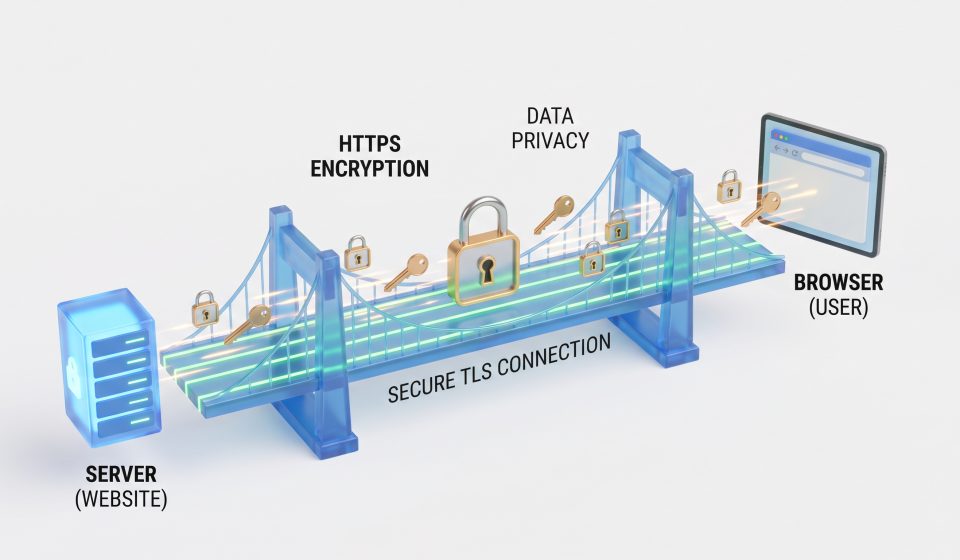
When you visit a secure website, your browser usually connects using HTTPS. This technology helps protect information exchanged between your device and the website.
One of the important components behind HTTPS is a TLS certificate, sometimes still referred to as an SSL certificate.
TLS certificates help a browser authenticate the server it is connecting to and establish a secure communication channel.
What Is a TLS Certificate?
A TLS certificate is a digital document that associates a public key with a domain name or another identity under a defined validation process.
It includes information such as the certificate’s subject, issuer, validity period, and public key.
A browser evaluates the certificate as part of deciding whether it can establish a trusted encrypted connection.
What Does HTTPS Do?
HTTPS uses TLS to protect communication between a client and a server.
When correctly implemented, TLS provides confidentiality and integrity for data transmitted over the connection.
This helps protect information against interception or unauthorized modification during transit.
However, HTTPS does not guarantee that the website itself is trustworthy, that its content is accurate, or that its server is free from vulnerabilities.
What Is a Certificate Authority?
A certificate authority, or CA, is an organization that issues digital certificates under defined validation and security requirements.
Browsers and operating systems maintain trust stores containing selected root certificate authorities.
These trusted roots can be used to validate certificate chains presented by websites.
What Are Root and Intermediate Certificates?
A root certificate represents a trust anchor. An intermediate certificate can be authorized by a root or another intermediate to issue certificates under specified constraints.
Website certificates typically connect through these intermediates to a trusted root.
This chain allows browsers to determine whether a certificate was issued through an accepted authority.
Why Are Private Keys Important?
Public key cryptography uses related public and private keys.
The private key must be protected because possession of it can allow an unauthorized party to perform cryptographic operations associated with that key.
For a website, private key compromise can enable impersonation under certain conditions. For a certificate authority, a compromised signing key may allow fraudulent certificates to be created.
What Happened in the eMudhra Incident?
In October 2026, Mozilla reported that private keys associated with eight eMudhra intermediate CA certificates were compromised.
Browser vendors responded by blocking affected trust paths.
The incident illustrates why certificate authority key management and revocation systems are essential.
Read our eMudhra incident explanation for the timeline and official responses.
What Is Certificate Revocation?
Revocation is a mechanism for indicating that a certificate should no longer be trusted before its original expiration date.
Browsers and other applications may use different methods for distributing and enforcing revocation information.
These mechanisms help respond to compromised keys and other certificate security problems.
How Can Website Owners Maintain TLS Security?
Administrators should use valid certificates from appropriate providers, protect private keys, maintain current server software, and monitor certificate expiration.
They should also investigate unexpected certificate warnings and avoid exposing private keys in public repositories or unsecured backups.
Final Thoughts
TLS certificates are essential to the trust system supporting HTTPS. Their security depends on careful key management, trustworthy certificate authorities, and responsive browser protections.
For practical maintenance guidance, see How to Check Browser and Server Certificate Security.
Frequently Asked Questions
Are SSL and TLS certificates the same thing?
The term SSL certificate is commonly used, but modern secure connections use TLS rather than the obsolete SSL protocols.
Does a padlock mean a website is legitimate?
No. It indicates aspects of the connection’s security, not a guarantee that the website or its operator is trustworthy.
What is a root certificate?
It is a certificate used as a trust anchor in a certificate validation system.
Why are intermediate certificates used?
They allow certificate issuance through delegated authorities while reducing routine use of root signing keys.
What happens if a CA private key is compromised?
Depending on the key and trust conditions, attackers may be able to create fraudulent certificates, prompting revocation and trust-store updates.