

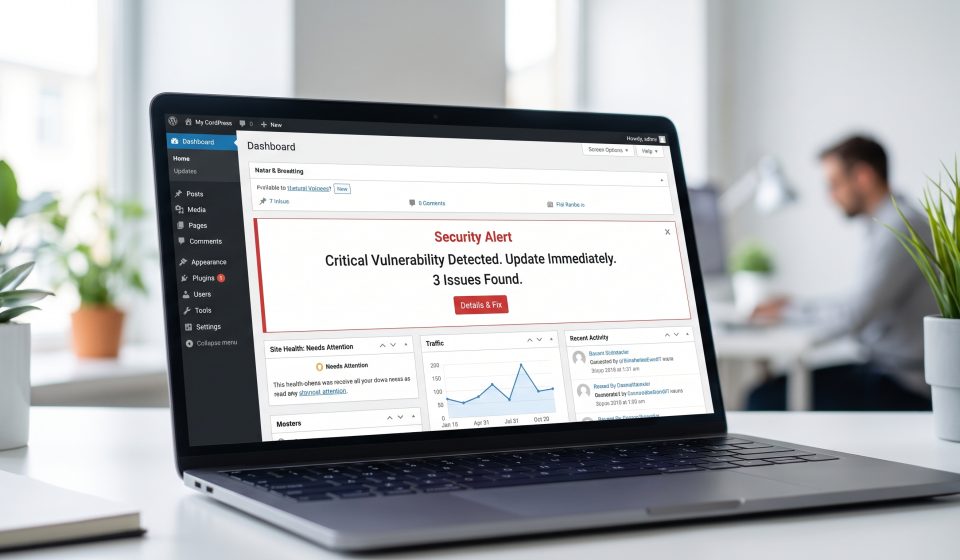
Is Your WordPress Website Affected by the October 2026 PHP Vulnerabilities?

WordPress website owners are understandably concerned about the critical PHP security warnings issued in October 2026. PHP is a fundamental part of WordPress, so vulnerabilities in the language’s runtime deserve attention even when the WordPress software itself has no newly disclosed flaw.
Two PHP vulnerabilities, CVE-2026-109618 and CVE-2026-109619, prompted an emergency security release announcement on October 20. Both were initially rated 9.2 under CVSS v4.0.
However, the existence of a PHP vulnerability does not prove that every WordPress installation is exploitable. Actual exposure must be evaluated against the official advisory and the PHP environment running the site.
Why WordPress Depends on PHP
WordPress uses PHP to generate pages, process forms, communicate with databases, manage users, and execute functionality provided by plugins and themes.
When a visitor requests a page, the server may execute PHP code to retrieve content and construct the response. The PHP interpreter therefore forms part of the website’s trusted infrastructure.
Security weaknesses in this layer can be relevant even when the application code has not changed.
WordPress Updates and PHP Updates Are Different
Updating WordPress core does not necessarily update PHP. The same is true of plugin and theme updates.
PHP is commonly supplied by the hosting environment, whether that is shared hosting, a managed WordPress platform, a virtual private server, or a dedicated server.
Administrators should review both application updates and server-runtime updates as separate maintenance responsibilities.
How to Find Your PHP Version in WordPress
Open your WordPress administration dashboard and navigate to Tools → Site Health → Info. Expand the Server section and look for the PHP version.
If your hosting provider offers a PHP version selector, compare its displayed version with the one reported by WordPress.
Some hosting environments support multiple PHP versions, so make sure you are checking the runtime assigned to the actual website.
What Should You Do After Checking?
First, record the current PHP version and the hosting provider responsible for maintaining it.
Next, review the official PHP security announcement and the provider’s advisory. Confirm whether the installed package is affected and whether an updated version is available.
Do not assume that the latest-looking version number is automatically safe. Operating system vendors sometimes backport security fixes without changing to the newest upstream PHP release.
If your host manages updates, request confirmation of its remediation status.
Back Up Before Making Changes
PHP upgrades can affect plugin and theme compatibility, particularly on older WordPress installations.
Before making significant changes, create a reliable backup of the database, application files, and important configuration settings.
Where possible, test the upgrade on a staging copy before applying it to the production website.
Check Critical WordPress Features
After an update, verify that visitors can load pages, forms submit successfully, users can sign in, and administrative features operate normally.
For ecommerce websites, test product pages, shopping carts, checkout, payment integrations, and order notifications.
Review PHP error logs and application monitoring to identify problems that may not be visible during a quick manual test.
Do Security Plugins Fix PHP Runtime Vulnerabilities?
Security plugins may help with monitoring, authentication, and certain application-level protections. They do not automatically replace the need to update the underlying PHP runtime.
Similarly, HTTPS encryption protects communication between visitors and the website but does not eliminate server-side software vulnerabilities.
What If You Cannot Upgrade Immediately?
Contact the hosting provider or responsible administrator and review temporary mitigation guidance from authoritative sources.
Depending on the risk and environment, organizations may need to restrict access to vulnerable services until a verified fix is available.
Do not make major configuration changes based solely on unverified social media advice.
Keep WordPress Secure Beyond This Incident
Long-term WordPress security includes supported software versions, plugin maintenance, least-privilege access, multifactor authentication where available, reliable backups, and ongoing monitoring.
For the complete incident background, read our PHP vulnerability 2026 guide. For a practical update process, see How to Check Your PHP Version and Apply Security Updates.
Frequently Asked Questions
Does the PHP vulnerability affect WordPress?
It may affect WordPress installations using vulnerable PHP runtimes. Confirm the actual environment against official vendor advisories.
Where is the PHP version shown in WordPress?
Typically under Tools → Site Health → Info → Server.
Will updating plugins fix the PHP vulnerability?
Not by itself. PHP runtime security updates are managed separately.
Can I change PHP versions without testing?
Testing is strongly recommended because some plugins, themes, and custom code may have compatibility issues.
What should managed-hosting customers do?
Ask the provider whether its PHP runtime is affected and when the official security fix will be applied.