

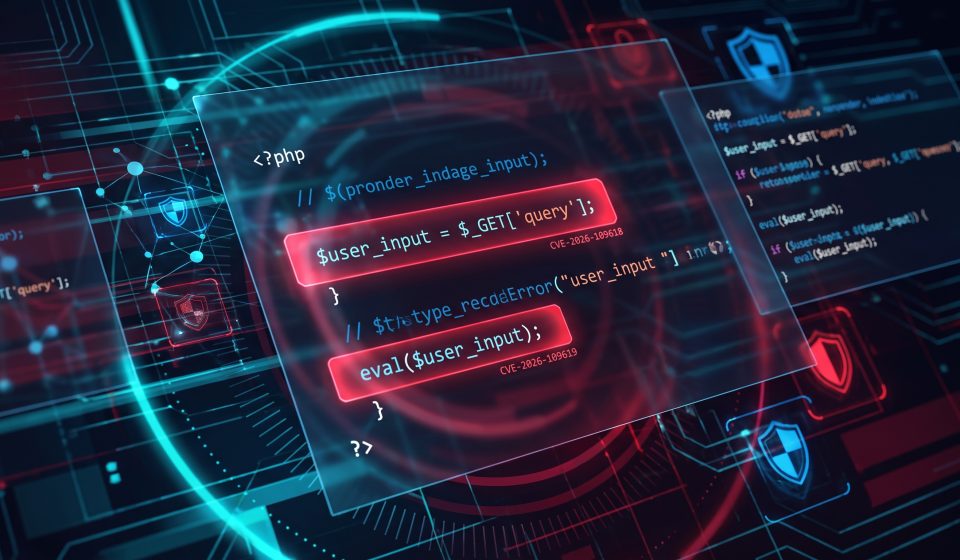
Critical PHP Vulnerabilities 2026: CVE-2026-109618 and CVE-2026-109619 Explained

Website owners, developers, hosting providers, and IT administrators are responding to an urgent security warning involving two critical vulnerabilities in PHP, one of the world’s most widely used server-side programming languages.
The vulnerabilities, identified in public security advisories as CVE-2026-109618 and CVE-2026-109619, have raised serious concerns because they may allow remote code execution under vulnerable conditions.
PHP powers numerous websites, content management systems, and ecommerce applications. WordPress, for example, relies on PHP to execute much of its server-side functionality.
On October 20, 2026, the PHP security team announced that an emergency security release was scheduled for October 21 at 14:00 UTC. The team described two critical vulnerabilities, each initially assigned a CVSS v4.0 severity score of 9.2.
For website administrators, the priority is to identify affected systems, follow official vendor guidance, prepare reliable backups, and deploy verified security updates as soon as they become available.
What Happened to PHP in October 2026?
The PHP development team issued advance notice of an unusually urgent security release. Rather than waiting for its ordinary release schedule, the project warned administrators that critical fixes were imminent.
The announcement encouraged PHP users to prepare for immediate upgrades. It also explained that the team might publish fixes earlier if technical details became public or if evidence of active exploitation emerged.
Security agencies subsequently issued alerts to organizations running PHP-based applications.
The incident is significant because PHP is not merely an optional component on many websites. It is the runtime responsible for executing application code, processing requests, communicating with databases, and generating dynamic pages.
A serious vulnerability in that runtime can therefore affect applications even when their own source code has not changed.
What Are CVE-2026-109618 and CVE-2026-109619?
CVE identifiers are standardized references used to track publicly disclosed security vulnerabilities.
In this incident, two identifiers have been associated with the emergency PHP release:
- CVE-2026-109618
- CVE-2026-109619
Both were described in early advisories as critical, with an initial CVSS v4.0 score of 9.2.
A CVSS score helps communicate the potential severity of a vulnerability. It does not establish that every installation can be compromised in the same way.
At the time of the initial PHP announcement, complete technical details, affected-version lists, and fixed-version information were reserved for the official security release.
Administrators should therefore avoid relying on unverified claims about precise exploit conditions or treating every PHP installation as already compromised.
What Is Remote Code Execution?
Remote code execution, commonly abbreviated RCE, describes a security weakness that may allow an attacker to execute code on a target system from another location.
Depending on the vulnerability, configuration, and permissions available to the affected process, the consequences can be serious.
An attacker who achieves code execution might attempt to access application data, modify website files, interfere with services, or establish additional unauthorized access.
However, the existence of a critical RCE vulnerability does not automatically mean that every exposed website has been exploited.
Real-world risk depends on factors including whether the vulnerable component is reachable, how the application is configured, and whether compensating protections are in place.
Which Websites Could Be Affected?
Any website or application using PHP should be assessed against the official affected-version information once published.
Potentially relevant environments include:
- WordPress websites and blogs.
- Custom PHP web applications.
- Online stores built with PHP-based platforms.
- Customer portals and administrative dashboards.
- Content management systems.
- PHP-based APIs and internal business tools.
Importantly, an application using PHP is not necessarily vulnerable merely because PHP is installed. Administrators must check the specific runtime version, deployment method, vendor packages, and security advisories.
Our WordPress PHP vulnerability guide explains the distinction between WordPress application updates and PHP runtime updates.
Why This Matters to WordPress Websites
WordPress depends on PHP for many core functions, including rendering dynamic pages, processing form submissions, and interacting with its database.
WordPress administrators regularly update plugins, themes, and WordPress core. However, those updates do not necessarily update the underlying PHP runtime.
On shared hosting, PHP versions are often managed through a hosting dashboard. On dedicated or cloud servers, the operating system administrator may manage PHP packages directly.
This creates a potentially dangerous assumption: a website can show that WordPress and all plugins are updated while still running an outdated or vulnerable PHP version.
Administrators should confirm the PHP version separately and determine how their hosting provider distributes emergency fixes.
How to Check Your PHP Version
WordPress administrators can usually view their PHP version under Tools → Site Health → Info → Server.
Hosting panels may also display the active PHP version for each domain.
For administrators with authorized command-line access, PHP provides a version command:
php -vBe aware that the command-line PHP version can differ from the PHP version used by the website. Systems with multiple PHP installations may run different versions for the web server, scheduled tasks, and command-line scripts.
Verify the actual runtime serving the affected application before concluding that a patch has been applied.
For a more detailed process, see How to Check Your PHP Version and Apply Security Updates.
What Should Website Owners Do Immediately?
1. Identify PHP-Based Systems
Create an inventory of websites, applications, containers, virtual machines, and services that use PHP.
Include staging systems and internal applications. Older systems are especially easy to overlook.
2. Identify the PHP Runtime and Package Source
Determine whether PHP is supplied by a hosting provider, operating system vendor, control panel, container image, or third-party package repository.
Different distributors may deliver security fixes on different schedules.
3. Review Official Security Advisories
Use the official PHP website and your hosting or operating system vendor’s security notices to confirm affected and fixed versions.
Avoid downloading unofficial patches or running unverified scripts from social media posts.
4. Prepare a Verified Backup
Before making significant runtime changes, back up application files, databases, and important configuration information.
Check that the backup can be restored. A backup that has never been tested may provide less protection than expected.
5. Test Compatibility
Where time permits, validate critical functionality in a staging environment.
Check checkout flows, authentication, administrative functions, integrations, and scheduled tasks.
6. Apply the Official Fix
Install the vendor-provided security update promptly once available. Restart or reload relevant services as required by the vendor.
Then confirm that the web application is using the patched runtime, not merely that a package was downloaded.
7. Monitor for Suspicious Activity
Review relevant server, application, and security logs for unusual requests, unexpected file changes, authentication anomalies, or other indicators that warrant investigation.
Security monitoring is particularly important when a vulnerability may have been exposed before a patch became available.
Can a Web Application Firewall Protect Against This Issue?
A web application firewall may provide useful protection against certain attack patterns, but its effectiveness depends on the vulnerability and the firewall’s detection capabilities.
A WAF should not be treated as a universal substitute for patching PHP.
Similarly, a CDN, HTTPS certificate, or security plugin does not automatically eliminate vulnerabilities in the server-side runtime.
Where immediate patching is not possible, organizations should follow vendor and government guidance about temporary risk reduction, including limiting exposure of vulnerable applications when appropriate.
What If Your Hosting Provider Manages PHP?
Many website owners do not have direct control over PHP packages.
If your site runs on managed hosting, ask the provider whether its environment is affected, when security fixes will be deployed, and whether customer action is required.
Some hosting companies apply security updates centrally. Others require customers to select an updated runtime or restart services.
Request confirmation rather than assuming the provider has already completed the work.
Why Ecommerce Websites Need Extra Attention
Online stores depend on website availability and the integrity of their application environments.
Security incidents can interrupt checkout, affect customer confidence, and require time-consuming incident response.
Store administrators should prioritize backups, access controls, monitoring, and careful validation of payment and order workflows after updates.
For a broader preparation plan, read our PHP Security Checklist for Ecommerce Websites.
Official Sources and Ongoing Updates
For the latest authoritative information, consult:
Editorial update notice: This article reflects the emergency warning issued ahead of the scheduled October 21 release. Confirm the latest fixed-version information and vendor guidance before following any version-specific instructions.
Final Thoughts
The October 2026 PHP security warning deserves immediate attention from website operators and technical teams.
The most effective response is disciplined rather than speculative: identify affected systems, verify the official advisory, prepare reliable backups, apply legitimate security updates, and monitor for suspicious activity.
For WordPress and ecommerce administrators, the incident is also a reminder that maintaining website security involves more than updating plugins and themes.
Frequently Asked Questions
What is CVE-2026-109618?
It is one of two critical PHP vulnerability identifiers associated with the October 2026 emergency security release. Consult official PHP and vendor advisories for the confirmed technical details.
What is CVE-2026-109619?
It is the second vulnerability identified in public advisories concerning the same emergency PHP security event.
Is every WordPress website vulnerable?
Not necessarily. Exposure depends on the PHP runtime, affected versions, deployment conditions, and security updates applied.
Does updating WordPress automatically update PHP?
No. PHP is generally managed separately through the hosting environment or server operating system.
How do I know whether my PHP installation is patched?
Check the active PHP runtime version and compare it with the fixed versions published by the relevant vendor. Account for security fixes that operating system vendors may backport.
Should I shut down my website?
Not automatically. Follow the guidance appropriate to your environment and risk. Security authorities have recommended considering isolation of exposed systems where timely remediation is not possible.