

PlayStation Plus gives subscribers access to a variety of games, but the right accessories can make those experiences more comfortable and convenient.
Whether you enjoy single-player adventures, cooperative games, or competitive multiplayer, certain accessories can help improve usability and reduce common frustrations.
The best accessory is not necessarily the most expensive. It is the one that solves a genuine problem in your gaming setup.
1. An Additional DualSense Controller
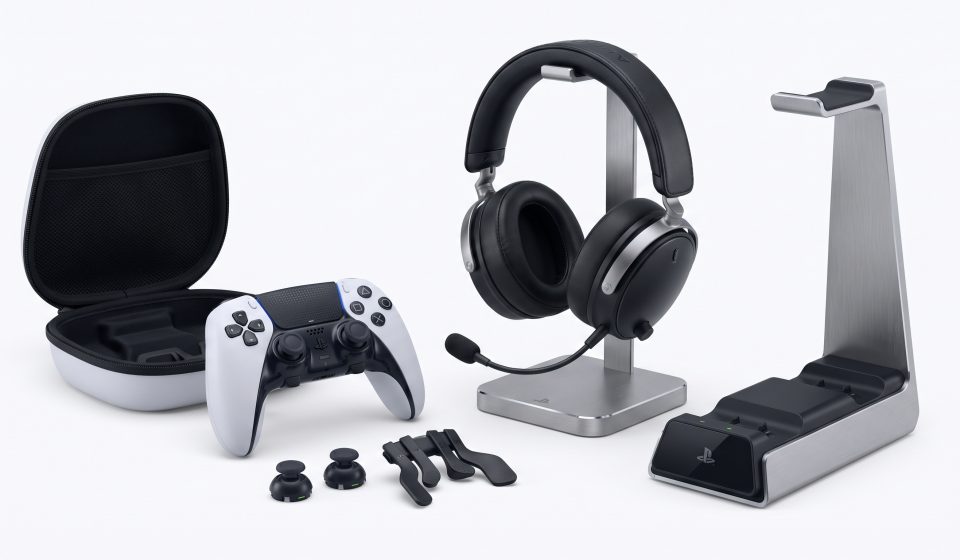
A second controller is useful for local multiplayer, shared gaming sessions, and situations where one controller needs charging.
Before purchasing, verify that the product is genuine and compatible with your console.
2. A Compatible Gaming Headset
A headset can improve communication during multiplayer games and provide more immersive audio during single-player adventures.
Consider comfort, microphone quality, connection type, and compatibility.
Wireless convenience may be appealing, but wired models can also provide excellent value.
3. Additional SSD Storage
Game installations can consume significant space, especially for players who keep several Game Catalog titles installed.
The PS5 supports certain compatible M.2 SSD expansion options.
Before purchasing, verify Sony’s current requirements for interface, performance, dimensions, and thermal management.
Not every SSD is suitable for PS5 expansion.
4. Controller Charging Accessories
A charging station can help organize controllers and keep them ready for use.
Choose an accessory designed for the relevant controller and follow the manufacturer’s charging guidance.
5. A Suitable Display
A television or monitor can influence the overall gaming experience.
Consider resolution, refresh rate, input latency, HDR support, and HDMI capabilities.
Game-specific performance modes vary, so do not assume every title supports the highest refresh rate available on a display.
6. Network Accessories
Online gaming performance depends on network stability, latency, and internet service quality.
A reliable wired connection may provide more consistent performance than a congested wireless network in some environments.
Before buying new networking equipment, check whether the existing connection is actually the cause of performance problems.
7. Comfortable Gaming Furniture
Long gaming sessions can be uncomfortable without suitable seating and screen positioning.
Good ergonomics, regular breaks, and appropriate lighting are useful regardless of the console model.
What Should You Buy First?
If storage is frequently full, prioritize a compatible SSD. If you play multiplayer games with friends, a comfortable headset may be more useful.
If multiple people share the console, an additional controller could provide the greatest immediate benefit.
Explore PlayStation Hardware
Readers comparing console options can view the Sony PS5 Pro 2TB at Aztek Computers.
Check current pricing, specifications, and availability on the product page.
Related PlayStation Guides
See our PlayStation Plus October 2026 games guide and subscription tier comparison.
Frequently Asked Questions
What is the most useful PS5 accessory?
It depends on your needs. Additional storage, a headset, and a second controller are common priorities.
Can I use any SSD with PS5?
No. Expansion drives must meet Sony’s compatibility requirements.
Do I need a special headset for PlayStation Plus?
No. Choose a compatible headset based on comfort, audio quality, and microphone needs.
Does a 120Hz display make every game run at 120 FPS?
No. Actual performance depends on game support, console capabilities, and settings.
Is PS5 Pro required for PlayStation Plus?
No. PlayStation Plus is available across supported PlayStation consoles and subscription plans.