
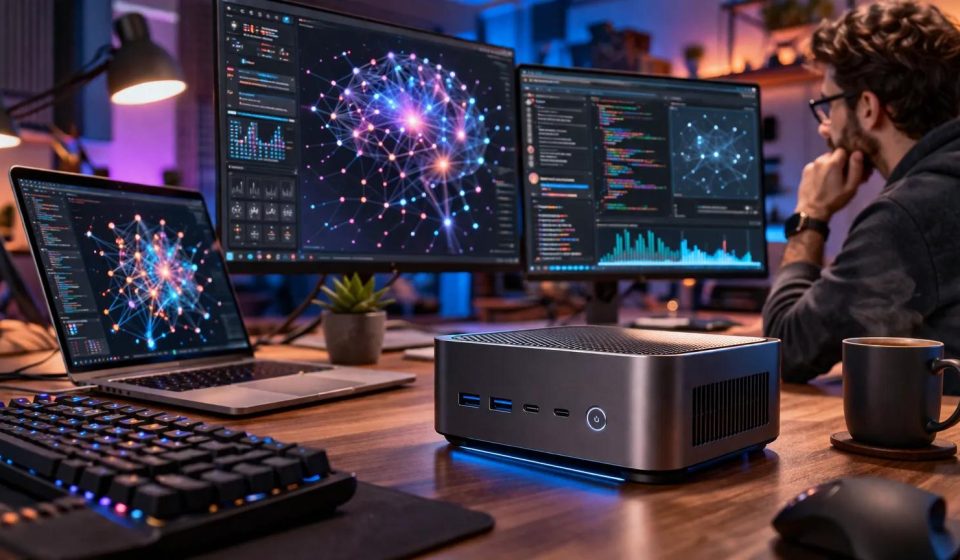

NVIDIA DGX Spark has attracted considerable attention among developers interested in running artificial intelligence models locally. Its compact design, NVIDIA GB10 Grace Blackwell Superchip, and large unified memory pool make it an unusual alternative to traditional GPU workstations.
However, DGX Spark is not the only option for local AI computing.
Depending on the workload, developers and organizations may prefer a conventional NVIDIA RTX workstation, an AMD-based AI desktop, an Apple Mac Studio, another GB10-based system, or a hybrid setup that combines local computing with cloud GPU resources.
The best alternative depends on more than advertised AI performance. Memory capacity, software compatibility, operating system requirements, expandability, and total cost all influence the decision.
In this guide, AztekComputers explains the major hardware approaches available for local AI in 2026 and how to select the right one.
Why Look for NVIDIA DGX Spark Alternatives?
DGX Spark offers a distinctive combination of integrated hardware and NVIDIA’s AI software environment, but not every organization needs that specific design.
Some developers already have workflows built around x86 workstations and discrete GPUs. Others require more memory, different operating systems, or expansion options.
Budget also matters. A powerful AI system may be difficult to justify if the intended workload consists mainly of occasional document summarization or lightweight model experimentation.
For some users, a smaller local computer or a cloud-based service may provide better overall value.
The first step is to understand what makes DGX Spark attractive and determine which of those characteristics are genuinely important to your project.
What Makes DGX Spark Different?
DGX Spark is powered by the NVIDIA GB10 Grace Blackwell Superchip and is designed for local AI development.
NVIDIA documents a 128GB unified-memory configuration, a 20-core Arm CPU, Blackwell GPU architecture, and 273GB/s memory bandwidth.
The system also supports NVIDIA’s AI software ecosystem and advanced networking capabilities.
Its large shared memory pool can make it attractive for workloads that exceed the dedicated VRAM capacity of many conventional graphics cards.
However, unified memory capacity should not be confused with guaranteed inference speed.
A system with less memory but greater bandwidth or compute throughput may perform better on models that fit entirely within its available accelerator memory.
Alternative 1: NVIDIA RTX GPU Workstations
A conventional NVIDIA RTX workstation is one of the most flexible alternatives to DGX Spark.
These systems combine a desktop or workstation CPU with one or more discrete NVIDIA GPUs.
Depending on the configuration, they may support a wide range of CUDA-based AI frameworks, professional visualization applications, development tools, and operating systems.
For developers already using NVIDIA software, this can provide a familiar environment.
Advantages of an RTX workstation
- Flexible processor and memory configurations.
- Potential for GPU, storage, and memory upgrades.
- Broad support for established desktop and workstation software.
- Options for professional drivers and enterprise support.
- Ability to select hardware around a specific workload.
However, workstation design requires attention to power, cooling, physical clearance, and component compatibility.
High-end professional GPUs can also be expensive, and the amount of available VRAM depends on the exact accelerator.
Who should choose an RTX workstation?
An RTX workstation may be ideal for developers who require CUDA compatibility, use x86 applications, or want a configurable system that can support both AI and professional graphics workloads.
It can also be appropriate for organizations that need standardized business workstations with defined support arrangements.
Alternative 2: AMD Ryzen AI Max-Based Systems
AMD Ryzen AI Max-based computers offer another approach to compact AI computing.
These systems combine CPU and integrated graphics capabilities with substantial shared memory in certain configurations.
For developers interested in local inference, the appeal is similar in principle to other unified-memory systems: a larger memory pool can make some model configurations more practical.
However, the software environment differs from NVIDIA’s CUDA ecosystem.
AMD GPU acceleration depends on supported drivers, frameworks, operating systems, and the specific hardware implementation.
Not every AI application that runs on an NVIDIA GPU will work identically on AMD hardware.
Advantages of AMD AI desktops
Potential benefits include compact system designs, large-memory configurations, and flexibility for certain general-purpose computing tasks.
Some systems may also provide a balance between local AI experimentation and ordinary desktop productivity.
However, buyers should verify the precise memory configuration and software support before assuming a particular model will meet their needs.
Who should choose AMD?
AMD-based systems may suit developers willing to evaluate framework compatibility and optimize their workflows for the supported platform.
They may also be attractive to users who want a compact desktop for a mixture of everyday work and local AI experimentation.
Alternative 3: Apple Mac Studio
Apple Mac Studio systems are another important option for developers interested in local AI computing.
Apple silicon uses a unified-memory architecture, and certain Mac Studio configurations provide substantial memory capacity.
This can be useful for running compatible local language models and working with creative applications.
However, Apple’s software environment is different from NVIDIA’s.
Developers may use frameworks and runtimes optimized for Apple silicon, including Metal-based acceleration and compatible machine-learning tools.
CUDA-specific applications generally require adaptation or a different computing environment.
Advantages of Mac Studio
- Unified-memory architecture.
- Compact desktop design.
- Strong integration with macOS.
- Suitability for certain creative and development workflows.
- Local AI options through supported Apple silicon frameworks.
Limitations to consider
Mac Studio hardware is not designed around user-replaceable discrete GPUs.
Memory configurations must be selected carefully at purchase, and software compatibility should be confirmed before deployment.
Organizations dependent on NVIDIA-specific acceleration may find an RTX workstation or DGX Spark more suitable.
Alternative 4: Other NVIDIA GB10-Based AI Computers
DGX Spark is not the only system built around NVIDIA’s GB10 technology.
NVIDIA works with hardware partners that offer compact AI systems based on the Grace Blackwell platform.
These products may differ in memory configuration, storage capacity, cooling design, connectivity, warranty, and support.
Some OEM configurations use 64GB of memory rather than 128GB, which can significantly affect the size of models they can accommodate.
For this reason, a product described as a GB10 AI computer should not automatically be treated as identical to NVIDIA’s own DGX Spark configuration.
Check the exact manufacturer part number and official specifications.
Who should consider an OEM GB10 system?
Developers who specifically want the NVIDIA GB10 architecture but prefer another manufacturer’s support or configuration may find these systems worth investigating.
However, actual availability and pricing must be verified before purchase.
Alternative 5: Custom-Built AI Desktop PCs
A custom-built desktop offers the ability to select components according to specific performance and budget requirements.
A developer might prioritize a powerful NVIDIA GPU, sufficient system RAM, a high-capacity SSD, and a processor capable of supporting development tools and data preparation.
Another user might build a system with a less expensive GPU and focus on smaller quantized models.
The main advantage is flexibility.
However, custom systems introduce responsibility for component selection, compatibility, assembly, cooling, and troubleshooting.
For business use, warranty and support arrangements can also become more complicated when components come from different suppliers.
Alternative 6: Cloud GPU Computing
Cloud GPU services are not local hardware, but they are an important alternative when evaluating whether to purchase an expensive AI workstation.
Cloud infrastructure can provide access to accelerators without the upfront cost of buying a physical machine.
It can also be useful when workloads change frequently or require occasional access to more powerful hardware.
However, recurring compute charges, storage costs, network transfer fees, and operational complexity must be considered.
For sensitive workloads, organizations should also evaluate contractual, security, and data-governance requirements.
Cloud computing is often most attractive when usage is intermittent or scaling requirements are unpredictable.
Comparing DGX Spark Alternatives
| Platform | Primary strength | Main consideration |
|---|---|---|
| NVIDIA DGX Spark | Large unified memory with NVIDIA AI stack | Arm compatibility and fixed integrated design |
| NVIDIA RTX workstation | CUDA ecosystem and configuration flexibility | VRAM, power, cooling and cost |
| AMD Ryzen AI Max system | Compact integrated AI computing | Framework and driver compatibility |
| Apple Mac Studio | Unified memory and macOS integration | Non-CUDA software ecosystem |
| OEM GB10 computer | Alternative GB10 configurations and support | Memory and specifications vary |
| Custom AI desktop | Component selection and upgrade flexibility | Integration and maintenance responsibility |
| Cloud GPU | On-demand compute without owning hardware | Recurring costs and external infrastructure |
How Much Memory Do You Need for Local AI?
Memory capacity is one of the first specifications to evaluate when choosing an AI computer.
Language models store parameters in memory during inference. Their requirements depend on parameter count, numerical precision, quantization, and runtime overhead.
As a simplified example, a model containing eight billion parameters stored at four bits per parameter requires approximately 4GB for raw parameter values before overhead.
A 70-billion-parameter model at the same theoretical precision requires approximately 35GB for raw parameters.
These calculations do not include all practical memory requirements, and actual implementations can use additional space.
Long context windows, concurrent requests, and other runtime features can increase memory consumption substantially.
Buyers should therefore leave headroom rather than selecting hardware based solely on theoretical minimums.
Why Memory Bandwidth Matters
AI inference performance depends not only on how much memory a system has but also on how quickly data can be accessed.
Some language-model workloads are heavily influenced by memory bandwidth.
Others depend more strongly on compute throughput, batching, or software optimization.
This explains why a large unified-memory system does not automatically outperform every discrete-GPU workstation.
When comparing systems, look for independent benchmarks using the same model, precision, context length, and inference settings.
What About Tokens Per Second?
Tokens per second is a common measurement of language-model generation speed.
It can be useful, but it is not a complete measure of user experience.
Time to first token, prompt-processing speed, response length, concurrency, and model quality also matter.
For example, a system serving one developer interactively has different requirements from a business application serving dozens of simultaneous users.
A high tokens-per-second result from a small model should not be compared directly with a lower result from a much larger model without considering the differences.
Which AI Computer Is Best for Developers?
Developers should begin with their software stack.
If a project depends on CUDA and specific NVIDIA libraries, an NVIDIA-based workstation or DGX Spark may reduce compatibility challenges.
If the project uses software optimized for Apple silicon, a Mac Studio may be a natural fit.
If the team is comfortable evaluating AMD acceleration and its supported frameworks, an AMD AI desktop may also be viable.
Operating system support, container compatibility, and available developer tools should be tested before committing to a hardware platform.
Which AI Computer Is Best for Businesses?
Business requirements often extend beyond raw model performance.
Organizations may need centralized management, secure access, asset tracking, warranty support, predictable replacement options, and compatibility with existing networks.
A system that performs well in a developer demonstration may still require additional work before it can be deployed reliably in a business environment.
For customer-facing applications, uptime and monitoring can be just as important as accelerator performance.
Businesses should evaluate the complete deployment rather than treating the AI computer as an isolated purchase.
Local AI vs. Cloud AI: Which Costs Less?
There is no universal answer.
A local AI workstation involves an upfront hardware investment plus electricity, maintenance, administration, and eventual replacement.
Cloud computing usually shifts more of the expense toward ongoing usage.
For consistent workloads running many hours each day, local hardware may become economically attractive.
For occasional experimentation or temporary large-scale jobs, cloud resources may be more economical.
A realistic comparison should estimate expected utilization, model requirements, support costs, and the useful life of the equipment.
Can You Use a Hybrid AI Setup?
Yes. Many organizations can benefit from combining local hardware with cloud services.
For example, a development team might use a local workstation for prototyping, document processing, and routine inference.
When a project requires larger-scale training or additional compute capacity, the team can use appropriately configured cloud resources.
This approach can reduce dependence on a single environment while preserving flexibility.
However, hybrid deployments introduce their own security, networking, and operational considerations.
How to Choose the Right DGX Spark Alternative
Before purchasing, answer the following questions:
- Which AI models and frameworks must the system support?
- How much memory is required for the intended workloads?
- How many users or processes will run concurrently?
- Is NVIDIA CUDA compatibility essential?
- Does the application require Windows, Linux, or macOS?
- Will the system be used for inference, fine-tuning, development, or several tasks?
- What are the available power, cooling, and networking resources?
- What level of warranty and technical support is required?
- How much will the complete deployment cost over its expected lifetime?
- Is future expansion important?
These questions provide a stronger basis for comparison than a single headline performance number.
Where to Find AI Workstation and Computing Hardware
For organizations researching AI-ready computers, professional graphics hardware, and supporting infrastructure, AztekComputers provides a starting point for technology product discovery.
Its business purchasing resources and AI computing offerings are particularly relevant to teams comparing workstations and accelerated computing systems.
Before ordering, verify the exact product configuration, current availability, pricing, warranty, and suitability for the intended application.
No specific alternative in this article is represented as currently in stock or discounted without a verified listing.
Frequently Asked Questions
What is the best alternative to NVIDIA DGX Spark?
The best alternative depends on workload. NVIDIA RTX workstations, AMD AI desktops, Apple Mac Studio systems, and other GB10-based computers are all worth evaluating.
Can an RTX GPU workstation run local AI models?
Yes. Suitable NVIDIA RTX workstations can run compatible local AI models, subject to VRAM, software, and compute requirements.
Is Mac Studio better than DGX Spark for AI?
Neither is universally better. The right choice depends on model size, software ecosystem, memory requirements, and performance characteristics.
Can AMD computers run local language models?
Yes, when the hardware and software framework support the intended workload. Compatibility should be verified for the exact configuration.
How much RAM or VRAM do I need for local AI?
Requirements depend on the model, precision, context length, concurrency, and runtime overhead. Calculate needs for the exact workload rather than relying on a universal minimum.
Is a cloud GPU cheaper than buying a workstation?
It can be for intermittent workloads. Continuous use may favor local hardware, but the result depends on actual costs and utilization.
Can I upgrade DGX Spark like a conventional desktop?
DGX Spark is an integrated platform with different expansion characteristics from a modular desktop workstation. Check NVIDIA’s official documentation for supported changes.
Final Thoughts
NVIDIA DGX Spark is an important option for local AI development, but it is not the only path to running artificial intelligence models on hardware you control.
RTX workstations offer flexibility and a familiar NVIDIA software environment. AMD-based AI systems provide alternative integrated designs. Mac Studio offers a different unified-memory platform, while cloud computing can reduce upfront hardware requirements.
The strongest choice is the one that supports your actual models, software, security requirements, and budget.
Explore technology hardware options at AztekComputers and continue researching practical AI computing through the AztekComputers Blog