

Best Nintendo Switch 2 Accessories for Zelda: Ocarina of Time in 2026
The Legend of Zelda: Ocarina of Time remake launched for Nintendo Switch 2 on November 5, 2026, introducing updated visuals, orchestral music, modern controls, and new ways to interact with Link’s musical abilities.
For players preparing to explore Hyrule, the right accessories can make the experience more convenient, comfortable, or portable.
However, not every accessory is necessary, and compatibility is particularly important when shopping for Nintendo Switch 2.
This guide from AztekComputers explains which accessories are worth considering, how to evaluate them, and what to avoid when building a gaming setup.
Do You Need Accessories to Play Ocarina of Time?
No. The base game is designed to work with Nintendo Switch 2 and its supported controls.
Additional accessories are optional and should be chosen according to how you play.
For example, someone who primarily uses handheld mode may benefit from a carrying case and screen protector.
A player who uses TV mode for long sessions may prefer a full-size controller.
A digital-game collector with limited available storage may benefit from a compatible expansion card.
Start with your actual needs rather than purchasing a bundle of accessories automatically.
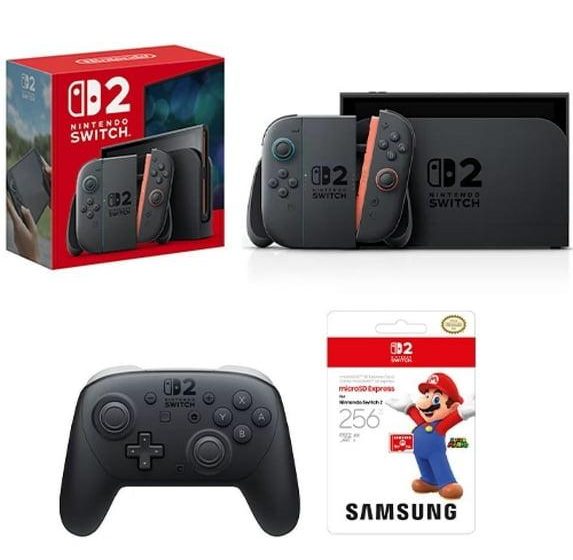
1. Nintendo Switch 2 Pro Controller
A compatible Pro Controller is one of the most practical accessories for players who prefer a traditional gamepad.
It can be useful for extended gaming sessions, especially when using the console in TV mode.
Controller comfort depends on grip shape, button placement, weight, and personal preference.
Before buying, verify that the model is intended for Nintendo Switch 2 and supports the features you want.
Is the Pro Controller necessary for Zelda?
No. The game can be played with the system’s supported standard controls.
A Pro Controller is primarily a comfort and convenience choice.
Players who enjoy handheld gaming may find that they rarely need a separate controller.
2. Zelda 40th Anniversary Pro Controller
Nintendo announced a special Zelda-themed Pro Controller for the franchise’s 40th anniversary.
Its appeal combines practical controller functionality with a commemorative design.
For fans who collect Nintendo accessories, the themed appearance may justify choosing it over a standard version.
However, a special design does not necessarily provide a gameplay advantage.
Compare the official specifications, warranty, and price before deciding.
3. microSD Express Storage
Digital games require available storage, and the Ocarina of Time remake has an official listed file size of approximately 24.9GB.
If you plan to install several games, storage capacity can become an important consideration.
Nintendo Switch 2 uses microSD Express cards for supported game storage expansion.
That distinction matters because ordinary older microSD cards should not be assumed compatible for storing and running Switch 2 software.
How much storage should you buy?
The right capacity depends on the number and size of games you expect to install.
Someone who buys mostly physical games may have different requirements from a player who purchases nearly everything digitally.
Check your existing free space, estimate future downloads, and select a compatible capacity that fits your budget.
Does a faster card improve gameplay?
Storage performance can affect loading and data access, but buying a card with impressive advertised speeds does not automatically improve frame rates.
Compatibility with Nintendo Switch 2 should be the first requirement.
Consult Nintendo’s official storage guidance before purchasing.
4. Nintendo Switch 2 Carrying Case
A carrying case is useful for players who travel with their console.
It can help protect the system against scratches and minor impacts during transportation.
Look for a case designed specifically for Nintendo Switch 2, with appropriate dimensions and a secure fit.
Internal compartments for game cards or small accessories can be useful, but avoid cases that put excessive pressure on the screen or controls.
5. Zelda Anniversary Carrying Case
Nintendo’s 40th-anniversary collection includes a themed carrying case with a screen protector.
For Zelda fans, this provides a way to combine everyday protection with commemorative styling.
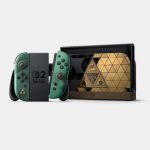
The case may be particularly appealing when paired with the anniversary-edition console.
However, it is not necessary for gameplay and should be compared with other compatible protective cases.
6. Screen Protectors
A screen protector can reduce the risk of scratches from everyday handling.
When shopping, confirm that the protector is designed for Nintendo Switch 2 and does not interfere with the system’s intended operation.
Installation quality matters. Dust, trapped air, and poor alignment can affect the result.
Follow the accessory manufacturer’s instructions and avoid applying unnecessary pressure to the display.
7. Charging Accessories
Charging accessories can be useful for players who travel or maintain multiple gaming locations.
However, power requirements should be checked carefully.
Use compatible, reputable charging equipment that meets the console manufacturer’s requirements.
Not every USB-C charger or cable provides the same power-delivery capabilities.
A charger that works for a phone may not be suitable for every Nintendo Switch 2 use case.
8. Headphones and Audio Accessories
Ocarina of Time is especially well suited to thoughtful audio equipment because music is a central part of the experience.
The remake introduces orchestral arrangements that may benefit from a comfortable headset or suitable speakers.
When choosing headphones, consider comfort, connection type, latency, and compatibility.
Wireless accessories may have different pairing and feature requirements from wired models.
Verify supported connection methods before purchasing.
9. The Electric OCARINA OF TIME
One of the most unusual accessories associated with the remake is Nintendo’s Electric OCARINA OF TIME.
The accessory is designed to interact with the game’s sound-recognition feature.
Players use buttons to produce notes that can be detected through the Nintendo Switch 2 microphone.
Nintendo specifically identifies the product as an electronic toy rather than a traditional wind instrument.
It is also not a game controller.
Three AA batteries and a screwdriver are not included, according to Nintendo’s product information.
Do you need the Electric Ocarina?
No. The game supports conventional button-based ocarina controls.
The accessory is best considered an optional novelty for fans who enjoy the musical aspect of Zelda.
For some players, the experience of physically performing melodies may be appealing. Others will prefer the standard controls.
10. Protective Storage for Game Cards
Players who purchase physical games may benefit from a small organizer or carrying case with game-card compartments.
Look for secure storage that protects the cards without applying excessive force.
Keep game cards away from moisture, extreme heat, and conditions that could damage their contacts.
A dedicated organizer can also reduce the chance of misplacing individual games.
11. TV and Display Considerations
Nintendo Switch 2 supports television gaming, and the Ocarina of Time remake lists compatible display features such as HDR output and VRR output.
Actual benefits depend on the television or monitor and the console’s supported settings.
A new display is not required simply to play the game.
However, players considering a monitor upgrade should review resolution, refresh rate, input latency, HDMI compatibility, and available display features.
A good display purchase should also support other games and devices you use.
12. Controller Charging and Organization
For households with multiple controllers, an organized charging setup can reduce clutter.
Before purchasing a charging dock, verify that it supports the exact controller models you own.
Third-party docks may differ in charging design and compatibility.
Choose reputable accessories and follow the manufacturer’s instructions.
Which Accessories Offer the Best Value?
| Accessory | Best for | Priority |
|---|---|---|
| Compatible Pro Controller | Comfortable TV-mode play | Optional |
| microSD Express card | Expanding digital game storage | Depends on free space |
| Carrying case | Travel and portability | Useful for mobile players |
| Screen protector | Additional screen protection | Optional |
| Headphones | Personal audio experience | Preference-based |
| Electric OCARINA OF TIME | Musical novelty and collecting | Optional |
How to Avoid Buying Incompatible Accessories
Check the exact product name and model number before ordering.
Do not assume that accessories for the original Nintendo Switch automatically support Nintendo Switch 2.
Physical dimensions, charging requirements, storage standards, and controller features can differ.
Look for explicit manufacturer compatibility statements rather than relying on generic phrases such as “works with Nintendo.”
For expensive accessories, review warranty and return terms as well.
Should You Buy Official or Third-Party Accessories?
Official accessories offer manufacturer-defined compatibility and features.
Third-party products may provide additional styles, price points, or specialized functionality.
Neither category is automatically the best choice for every buyer.
Evaluate compatibility, build quality, support, warranty, and independent reviews.
Be especially careful with power-related products and storage devices, where compatibility problems can be inconvenient or costly.
Where to Research Nintendo Switch 2 Accessories
Use Nintendo’s official Zelda information to identify anniversary products and confirm supported features.
For gaming accessories and electronics research, explore AztekComputers and verify each product listing before purchasing.
For information about the game itself, read our Ocarina of Time remake release guide.
Frequently Asked Questions
Do I need a Pro Controller for Ocarina of Time?
No. A compatible Pro Controller is optional.
Does Nintendo Switch 2 use microSD Express?
Yes. Check Nintendo’s current guidance for compatible expansion storage.
How much storage does the Zelda remake require?
Nintendo lists the game file size at approximately 24.9GB.
Is there a Zelda 40th anniversary controller?
Yes. Nintendo announced a themed Nintendo Switch 2 Pro Controller.
Can I use my original Switch carrying case?
Do not assume it will fit. Check dimensions and manufacturer compatibility.
What is the Electric OCARINA OF TIME?
It is an optional electronic musical toy that interacts with the game’s microphone-based feature.
Do accessories improve game performance?
Most accessories improve comfort, storage, convenience, or protection rather than directly increasing frame rates.
Final Thoughts
The best Nintendo Switch 2 accessories for Ocarina of Time are the ones that solve a genuine need.
A comfortable controller can improve long sessions, compatible storage can accommodate additional games, and a carrying case can make travel easier.
Anniversary-themed products provide extra appeal for collectors, but they are not required to enjoy Link’s adventure.
Choose carefully, verify compatibility, and focus on the complete gaming experience rather than purchasing accessories simply because they are new.
Explore more gaming and technology buying guides on the AztekComputers Blog.